
Ad | Strew Home Education App Review
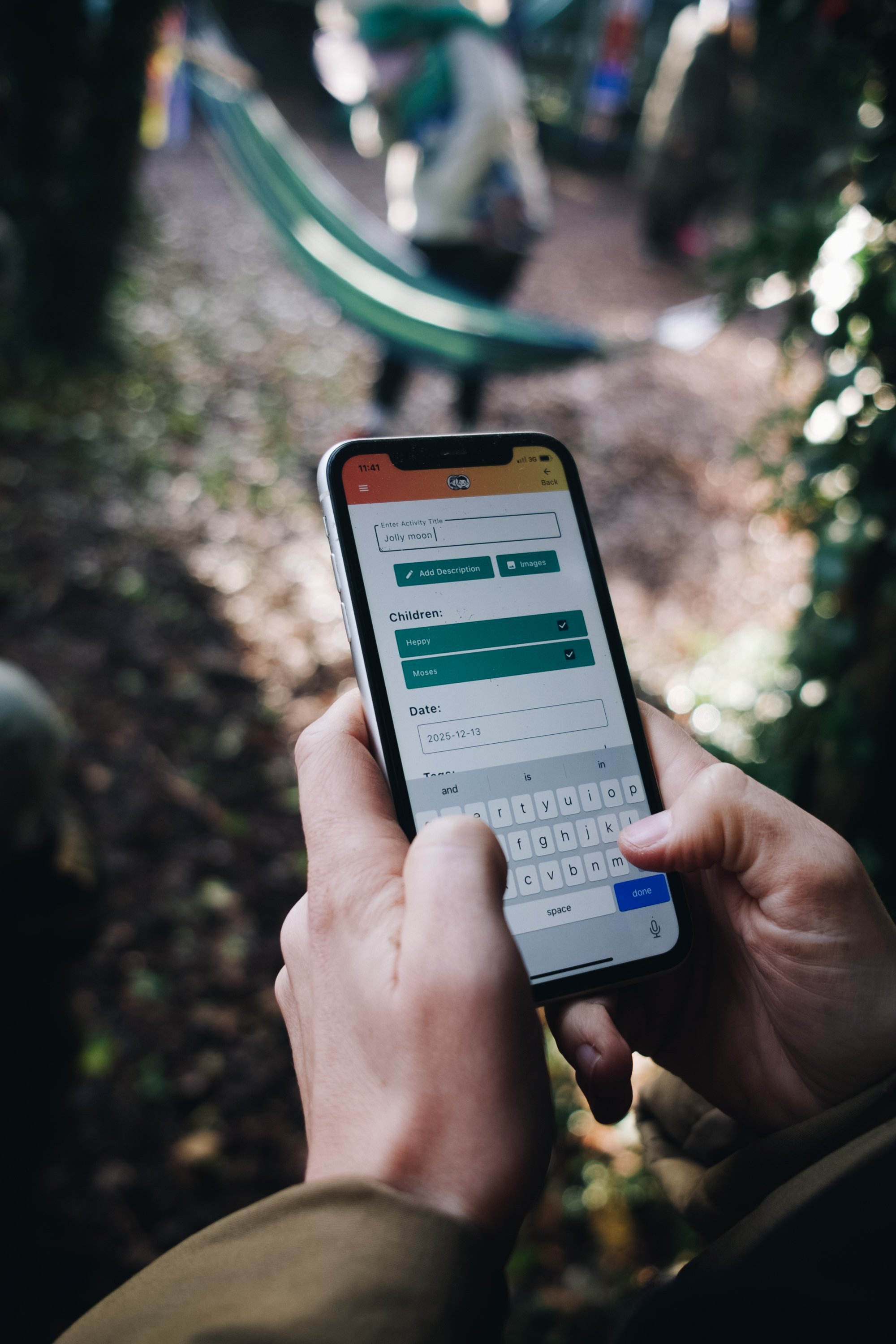
Logging an activity into the App.
I recently came across the Strew App, a home education tracking app created by siblings Woody and Kayley, who wanted to make homeschool life that little bit easier. They reached out to ask if I’d like to try the app and share my thoughts. As someone who spends far more time living the learning than recording it, I was curious to see how it would fit into our days!
We’ve been home educating from the very beginning, something I’d always dreamed of doing. A few years in, our days are full of slow mornings, half-finished projects, scattered stationery, spontaneous trips, deep conversations, abandoned workbooks, and learning that happens when you least expect it. Because of this, what we’re learning can be hard to document. Often it’s so entwined with everyday life that it’s forgotten or never written down at all.
Without adding yet another thing to the to-do list, how do I turn our lives of voice notes to family, scraps of paper, beautiful artwork, camera rolls, and WhatsApp messages into something physical that actually marks our learning?
This is where Strew comes in. It promises a simple, private space to record learning as it happens, without disrupting the flow of real life.
Here’s my experience using the Strew Home Education app.
Experience
Strew is a dedicated app, available on iOS and Android, and it was super simple to download and get started!
The interface is clean and friendly, and everything centres around a rolling feed of your home education life. Rather than feeling like I needed to sit down and log everything, I found myself adding small moments as they happened. You simply tap the plus button on the home feed page, where you can log activities, projects, trips, and milestones. You can add a title, description, date (including older dates if you’re catching up), images, tags, and select which child the entry is for.
It didn’t take long for the layout to make sense. The app feels intuitive, and once I started adding entries regularly, the bigger picture began to emerge. Scrolling through the feed and seeing everything we’d been up to brought a real sense of joy and accomplishment…we’re really doing the stuff!
Unique features and functionality
The app has multiple unique features. Firstly, when you write a longer description for an activity on your feed, AI is used selectively to infer possible learning outcomes. It doesn’t do this to tell you what should be learned or box anything in, more that it’s suggesting some ideas that may already be there. For example, on an entry written about a story Heppy had recently written, I went into a little bit of detail in the description on how our creative writing journey had been and it generated key learning outcomes such as: ‘improved creative writing skills, understanding narrative structure and problem solving-in story telling’. I found these suggestions reassuring, especially for noticing and naming learning that’s easy to overlook in the more child-led, everyday moments. The use of AI for outcomes is completely optional as part of the app.
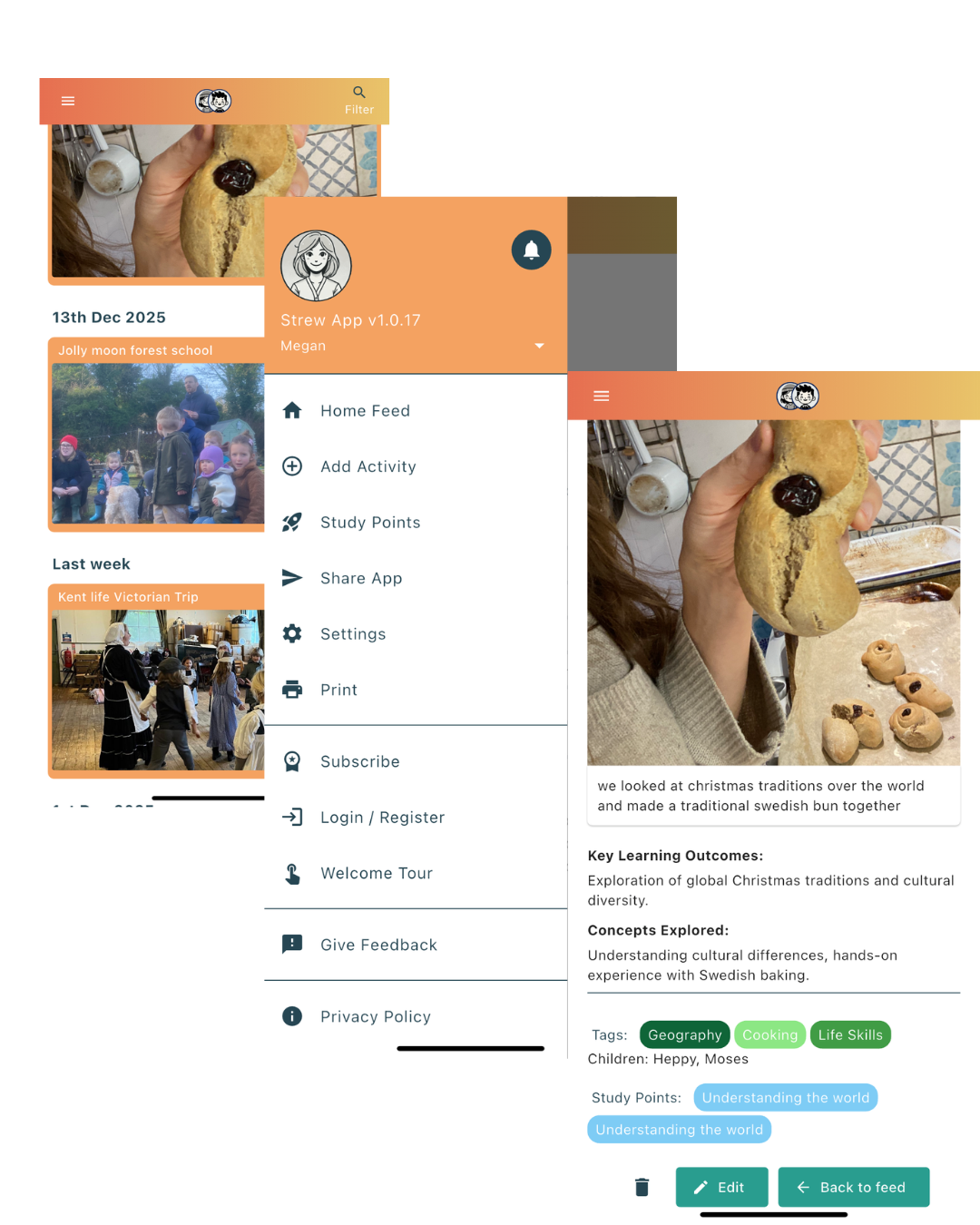
-The app also includes a study points feature, where points are assigned to different areas of interest to track progress over time. Points are earned by completing activities in the study pack you choose when you first sign up to the app. The study pack can be changed in the settings, and there are many packs to choose from based upon learning styles- ie. montessori, steiner etc. Again, this is completely optional. It’s a way of highlighting different areas of learning so you can see patterns over time and a way to easily look back and see where you have been focusing time and energy! This worked well for me to be able to see the areas we naturally spend time on!
-All data is stored locally on your device rather than in the cloud, which is a big plus for families who value privacy and data security.
-You can easily download reports. Whether that’s for your own personal use or a request from local authorities, you can generate a printable PDF quickly, which makes documentation feel far less overwhelming! You can filter activites to print by tag or study bucket or by date range to really tailor the report. There’s lots more details on printing/reports on the app here.
aSome standout points for me were:

A rolling feed that mirrors real life
AI summaries that help highlight learnings
A focus on privacy with data stored on your device
Support for many home education styles, including child-led, unschooling, Montessori, Steiner, structured, semi-structured, and more.
Pricing and value for money
Strew offers both a free version and a paid option for £4.99 per month with additional features such as the AI assistant, study points and the ability to download reports.
I think this is very reasonable considering how much time and mental load it saves. Having memories, learning, reflections, and reports all in one place feels like a worthwhile investment, particularly as children get older and the need for documentation may naturally increase.
Summary and other thoughts
I’ve really enjoyed using Strew. It feels like the app is doing something genuinely helpful in taking the pressure off home-ed parents by simplifying the bits that often feel heavy or we feel we really should be doing but never get round to. Admin has never been my strong point, so being able to stay child-led, follow our natural rhythm, and let the app quietly support the background work feels like a real win. I can especially see how valuable this would be for parents who do need to report to local authorities or provide evidence of how they’re home educating, even though that’s not something we currently have to do.
Seeing everything in one place has been incredibly affirming too! On days when home education feels chaotic or unproductive, scrolling through what we’ve been doing reminds me just how much learning is actually happening. It’s a beautiful way to reflect, celebrate milestones, and build a record we can look back on for years to come…hopefully!
I also feel there’s plenty of room for the app to grow and develop further, becoming even more tailored to the needs of home-educating families.
Be sure to take a look! You can download Strew on iOS and Android and start tracking your home education journey and read more over on the Strew blog.